
Knowing your age may seem like one of the simplest things to calculate, but finding an exact age in years, months, and days can become surprisingly complicated. A person’s age is based on the difference between their date of birth and a particular reference date. While subtracting the birth year from the current year gives a quick estimate, it does not always provide the person’s completed age because the birthday may not have occurred yet.
An age calculator makes this process easier by handling the date difference automatically. Instead of manually counting months and days or checking a calendar repeatedly, users can enter their date of birth and receive a clear result. Depending on the tool, the calculation can also show the total number of days lived, the next birthday, and other useful date-related information.
Today, online age calculations are useful for much more than satisfying curiosity. People may need their exact age when completing applications, checking eligibility requirements, preparing personal records, planning birthdays, or understanding how much time has passed between two dates. A reliable calculator provides a convenient way to perform these calculations while reducing common manual errors.
What Is an Age Calculator?
An age calculator is a digital tool designed to determine a person’s age from their date of birth to a selected date. In the simplest situation, the selected date is today. However, many calculators can also compare a birth date with a future or past date, making them useful for calculating age at a particular point in time.
The basic principle is straightforward: the tool compares two dates and determines the elapsed period between them. Instead of treating every year as exactly 365 days, a good calculation accounts for calendar differences, including leap years and months with different numbers of days. This is important because a person’s age in completed years, months, and days cannot always be found accurately through simple subtraction.
For example, someone born on October 15, 1995, does not become a year older simply because January 1 arrives. Their next completed year occurs on October 15. This distinction explains why age calculations require more than subtracting one year from another.
How Does an Age Calculator Work?
The calculation begins with two dates: the date of birth and the date on which age needs to be determined. The calculator first compares the years, then considers whether the birthday has occurred in the selected year. It subsequently calculates the remaining months and days to produce a more precise result.
Suppose a person was born on June 20, 2000, and the calculation date is September 5, 2026. The person has already celebrated their birthday in 2026, so their completed age is 26 years. The remaining period from June 20 to September 5 can then be expressed as additional months and days. A digital tool performs these steps instantly instead of requiring the user to work through a calendar manually.
The process becomes particularly useful around birthdays. If someone’s birthday is still several months away, simply subtracting the birth year from the current year would produce an age that is one year too high. The calculator avoids this common mistake by examining the month and day as well as the year.
Why Exact Date Calculation Matters
Exact age is important whenever a person’s eligibility or status depends on a specific date. Some situations use completed years, while others require a person’s age on a particular day. Understanding the difference can prevent confusion when filling out forms or comparing dates.
For everyday purposes, people often describe their age in completed years. However, an exact calculation may be represented as years, months, and days. These two formats answer slightly different questions. The first tells you how many full years have passed, while the second provides a detailed description of the elapsed calendar period.
Common Uses of an Age Calculator
An age calculator can be useful in many everyday situations. One of the most obvious applications is checking a person’s exact age before a birthday celebration. Parents may use calculations to determine a child’s age in months and days, while adults may use them when preparing forms or verifying personal information.
Age calculations can also be useful when determining whether someone has reached a particular age threshold. Applications, registrations, competitions, educational programs, employment processes, insurance-related paperwork, and other activities can sometimes include age requirements. In such cases, knowing the exact date on which a person reaches a certain age can be more useful than knowing only the birth year.
Another practical use is calculating the age difference between two people. This can help families understand the approximate age gap between siblings, compare birth dates, or organize historical information. The same underlying date-difference process can be applied to many situations where two dates need to be compared.
A few common uses include:
- Checking exact age before completing forms or applications.
- Finding the age of a child in years, months, and days.
- Determining when a particular age will be reached.
- Comparing the elapsed time between two birth dates.
Age in Years, Months, and Days
One of the most useful features of an age calculator is its ability to display age in multiple units. A result such as “26 years, 2 months, and 16 days” provides more information than simply saying “26 years old.” This detailed format is especially helpful when the exact interval between two dates matters.
The calculation follows the calendar rather than treating every month as an identical number of days. Months can contain 28, 29, 30, or 31 days, which means a simple conversion from a total number of days into months would not always represent a person’s calendar age correctly.
For example, a period from January 10 to February 10 is one calendar month even though the number of days involved can differ from periods involving other months. A good calculator therefore preserves the structure of the calendar when presenting years, months, and days.
Understanding Age Calculation Around Leap Years
Leap years are one reason manual age calculations can become confusing. Most years contain 365 days, while a leap year contains 366 because February has an additional day. The extra day affects calculations involving total elapsed days, particularly when the period spans multiple years.
The Gregorian calendar generally uses a rule in which a year divisible by four is a leap year, except century years that are not divisible by 400. Therefore, 2000 was a leap year, while 1900 was not. This type of calendar detail is normally handled automatically by digital calculators.
For most users, there is no need to perform these calculations manually. Entering the correct birth date and reference date allows the tool to account for calendar variations. This is one reason automated calculation is convenient when precision matters.
Age Calculator vs. Manual Calculation
Manual calculation is possible, especially when someone only wants to know their completed age in years. The basic method involves subtracting the birth year from the current year and then checking whether the birthday has already occurred during the current year.
However, manual calculations become more difficult when months and days are involved. Users may need to borrow days from a previous month or account for different month lengths. Leap years can add another complication, particularly when calculating long intervals.
| Calculation Method | Typical Result | Level of Effort |
|---|---|---|
| Year subtraction | Approximate or completed age | Very low |
| Calendar counting | Years, months, days | Moderate |
| Digital calculator | Detailed date difference | Very low |
| Spreadsheet formula | Automated date difference | Moderate |
For a quick everyday answer, manual subtraction can be sufficient. For an exact result, an age calculator reduces the amount of work and helps avoid arithmetic mistakes.
Calculating Age on a Future Date
Age does not have to be calculated only for the present day. A calculator can also determine how old someone will be on a future date. This can be useful for birthdays, planned events, applications, or personal milestones.
For example, a person can enter their birth date and a future date several years ahead. The tool can determine their completed age on that specific date. This is different from simply adding the number of years because the exact month and day still determine whether the next birthday has occurred.
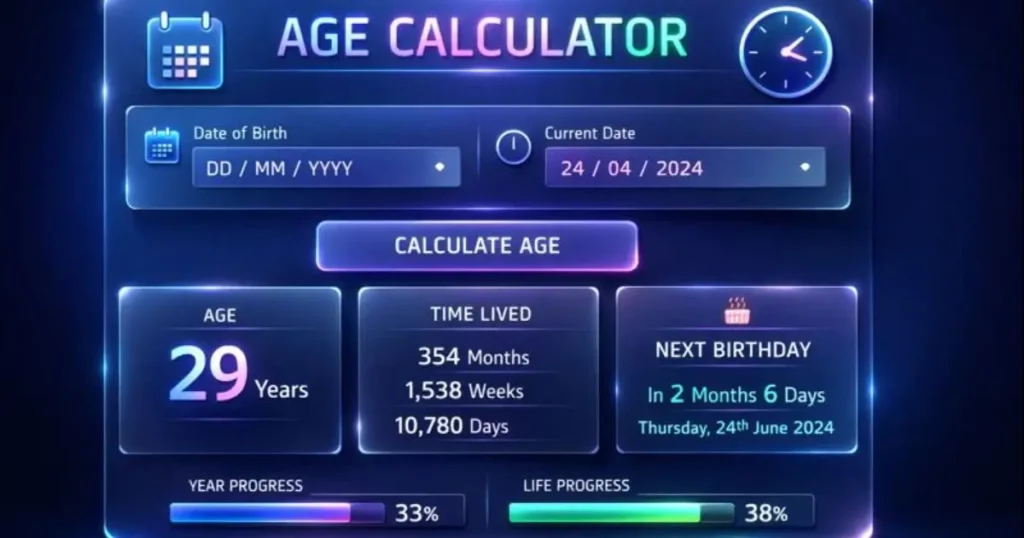
Future-date calculations can also answer questions such as when someone will turn 18, 21, 30, 50, or another milestone age. The important point is that the milestone occurs on the person’s birthday, not automatically at the beginning of the calendar year.
Calculating Age on a Past Date
The same principle works in reverse. If a user wants to know how old they were on a historical date, the birth date can be compared with that earlier reference date. This can be useful for family records, biographies, historical research, or personal documentation.
For example, if someone was born in 1990 and wants to know their age on a date in 2010, the calculator can determine the exact completed years and the additional months and days. This approach is more precise than estimating based only on the two years.
What Information Is Needed?
Using an age calculator normally requires very little information. The most important input is the complete date of birth. Some calculators automatically use the current date, while others allow the user to select a specific calculation date.
For accurate results, the day, month, and year should be entered correctly. A single incorrect digit can change the result, particularly when the selected dates are close together. Users should also check the date format required by the calculator because different systems may display day and month positions differently.
Privacy can also be considered when using online tools. For a simple calculation, users generally do not need to provide names, addresses, phone numbers, or other personal information. A calculator that only requires dates can perform the mathematical task without unnecessary details.
Tips for Getting an Accurate Result
The quality of the final result depends primarily on entering the correct dates and understanding what the result represents. If a person enters an incorrect birth date, even a technically accurate calculation will produce the wrong age.
It is also important to distinguish between completed age and the number of years appearing between two calendar dates. Someone whose birthday is still upcoming may have a calendar-year difference of a certain number while still being one year younger in completed-age terms.
A few simple habits can make date calculations clearer:
- Double-check the day, month, and year before calculating.
- Confirm whether the tool uses today’s date or a selected reference date.
- Check whether the result represents completed years or a detailed calendar interval.
- Pay attention to leap years when comparing long periods.
Why Digital Age Calculations Are Convenient
Digital tools have made date calculations much faster than traditional calendar methods. Instead of manually counting months or checking multiple calendars, users can enter two dates and receive an immediate result. This convenience is particularly valuable when several calculations need to be performed.
Another benefit is consistency. A properly designed calculator applies the same calendar rules every time. This makes it easier to repeat a calculation or compare results for different people and dates.
The convenience does not mean users should ignore the underlying calculation. Understanding how dates work helps people interpret results correctly. A calculator is most useful when it combines automation with a clear presentation of what has actually been calculated.
Conclusion
An age calculator provides a simple way to determine age accurately without manually counting calendar periods. While calculating completed years is relatively easy, finding an exact age in years, months, and days requires careful handling of birthdays, month lengths, and leap years. The tool can be useful for everyday questions, birthday planning, applications, personal records, age comparisons, and future or historical date calculations. By entering the correct birth date and understanding the reference date, users can obtain a precise result with minimal effort.